Bulk coin image processor
A whole consignment of coin photos in one run
A free bulk coin image processor for dealers, auction houses and anyone with a large collection to list. Select all your coin photos at once: obverse and reverse files are paired by the number in their names, every pair gets the same background removal, layout, background and output size, and the finished plates download as one ZIP. No account and no software to install.
Free · no account · works on phone and desktop · coins of any country.
What it does
Batch obverse–reverse plates
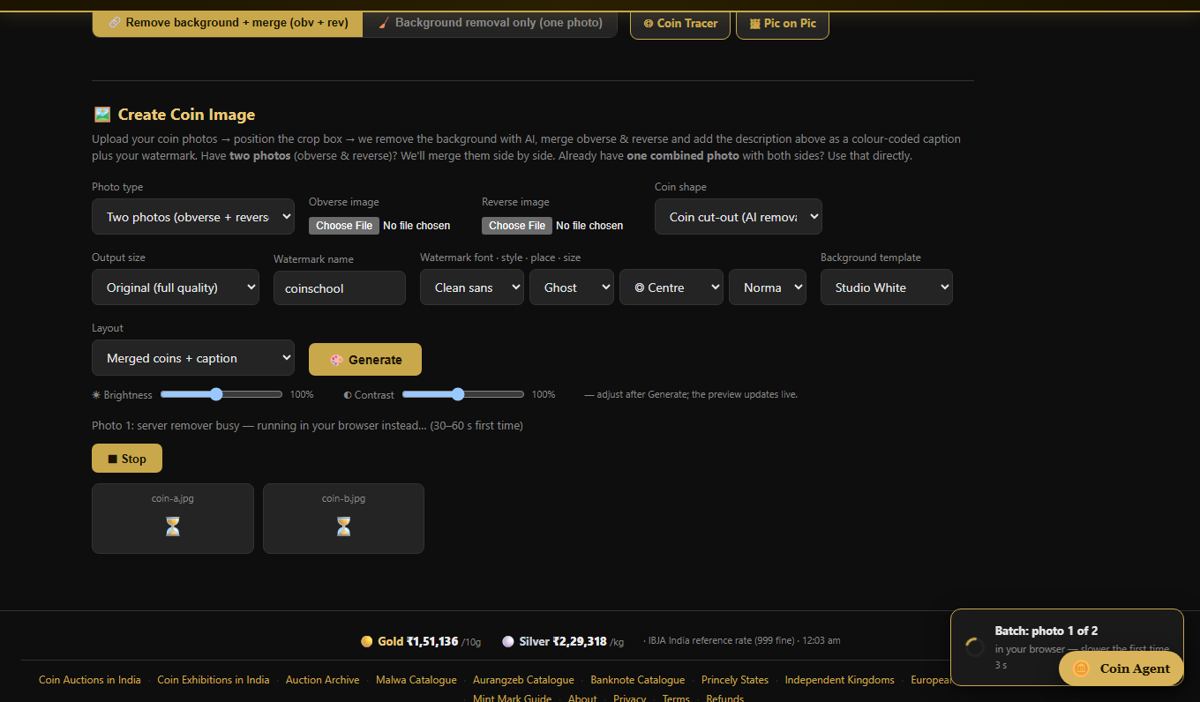
Pick all the photos together. Each numbered pair becomes one merged plate with the background removed, in the layout (side by side, stacked or diagonal), background, gap, Obv/Rev labels, studio light and output size you set once. The coin number can be written on each plate. Background Removal + Merge ▸ Batch: many coins at once →
Batch background removal
Pick several single photos and get each one back as a clean cut-out on a transparent or chosen background. Background Removal + Merge ▸ single-photo mode →
Change your mind without starting again
After a batch has run you can change the layout or background and re-run it; the AI cut-outs are reused, so the second pass is quick. Background Removal + Merge →
Whole trays in two shots
Photograph a tray of obverses, turn the coins over in place, photograph the reverses. Tray Splitter finds every coin, cuts it out and pairs each obverse with its reverse. Tray Splitter →
How files are paired
Obverse and reverse are matched by the number and the side word in the file name:
| File names | Read as |
|---|---|
12-obv.jpg + 12-rev.jpg | number plus the words obv / rev |
coin012_a.jpg + coin012_b.jpg | number plus a / b |
012 front.jpg + 012 back.jpg | number plus front / back |
IMG_0412.jpg, IMG_0413.jpg … | a number but no side word: paired in order, first = obverse, second = reverse |
How to batch process coin photos
- Name the files. Give each coin a number and mark the side: 12-obv.jpg and 12-rev.jpg, or 012 front and 012 back. Files with only a number are paired in order.
- Set the look once. In the editor choose the layout, background, gap, labels, studio light and output size on one coin.
- Select all the photos. In “Batch: many coins at once” pick every file together and check the pairing table.
- Run the batch. Each pair has its background removed and is merged into a plate with your settings.
- Download the ZIP. Save all the plates in one ZIP, or change a setting and re-run without repeating the AI step.
Limits and price
| Price | Free, no account for batch plates and batch background removal. The AI tray splitter asks for a free account. |
|---|---|
| Batch size | No fixed limit on how many files you select. The server-side AI removal accepts up to 60 photos per 10 minutes from one visitor (30 obverse–reverse pairs), so very large jobs are best run in runs of that size. |
| Photo size | Up to 10 MB per photo. |
| Output | One merged plate per coin as PNG, JPG or WebP at original size or a size preset, all in one ZIP. |
| Settings | One set of settings for the whole batch — the same ones as the single-coin editor above the batch section. |
| Privacy | Photos are processed and returned to you; they are not published and not used to train models without your consent. |
Frequently asked questions
How do I remove the background from many coin photos at once?
Open CoinSchool’s Background Removal + Merge, switch to the batch section and select all the photos together. Each one is cut out by the AI with the same edge clean-up, and the results download together.
How are obverse and reverse photos matched in a batch?
By the number in the file name plus a side word — obv/rev, a/b or front/back. Files with a number but no side word are paired in order: first is the obverse, second the reverse.
How many coins can I process in one go?
There is no fixed batch size. The server-side AI removal takes up to 60 photos per 10 minutes from one visitor, which is 30 coins with two sides each, so large jobs run best in runs of about that size.
Is it free for dealers and auction houses?
Yes. Batch plates and batch background removal are free with no account.
Can every plate have the same size and background?
Yes. The layout, background, gap, labels, studio shadow and output size are set once and applied to every pair, so a whole sale or shop listing looks consistent.
Is there a faster way than photographing each coin twice?
Yes — Tray Splitter. Photograph the whole tray obverse side up, flip the coins in place and photograph again; every coin is cut out and paired automatically.
Related: Coin photo editor · How to edit coin photos for auction listings · Tray Splitter · All coin tools
Realised prices for 450,000+ Indian & world coins from Todywalla, Classical Numismatic Gallery, Bombay Auctions, Virasat, Jain and Stephen Album sales.
Search the full archive free →
Home · Auction Archive · Free Coin Tools · Coin Photo Editor · Coin Line Drawing Tool · Guides · Identify a Coin · Coin Value · Coin Grading · Label Maker · News · Coin Agent · Sell Old Coins · Contact · ❤️ Donate · ✨ Ad-free · About · Privacy · Terms · Refunds