Free online coin photo editor & background remover
Catalogue-ready coin images, made in your browser
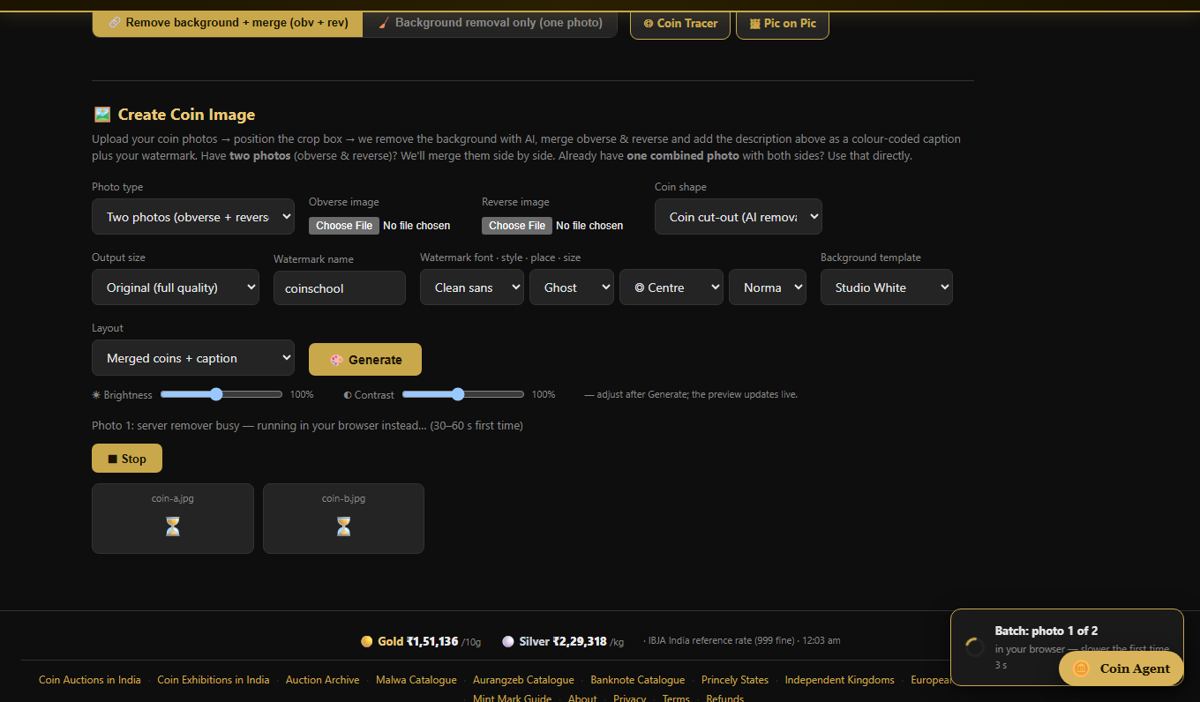
A free online coin photo editor: remove the background from a coin photo, crop it, merge obverse and reverse into one picture at the same scale, and bulk process a whole batch — in the browser, on phone or desktop, with no account and nothing to install. It is built only for coins, tokens, medals and banknotes, of any country and period, so it does the things a general photo editor does not: it keeps round coins round, sizes the two sides by coin diameter and pairs obverse with reverse for you.
Free · no account · works on phone and desktop · coins of any country.
What it does
AI coin background removal and round-rim clean-up
AI cut-out of the coin from any table, tray, hand or cloth. Edge clean-up snaps round coins to a true circle fitted to their own rim, fills holes the AI punched into the design from the original photo, and removes halos. Hammered and irregular flans keep their real outline. Background Removal + Merge →
Crop coin photos
Auto-crop to the coin, or drag the crop handles yourself. Output at original size or a size preset. Background Removal + Merge →
Merge obverse and reverse coin photos side by side
Both sides in one image — side by side, stacked or diagonal — matched by coin diameter rather than photo size, with optional Obv/Rev labels, a caption and an adjustable gap. Background Removal + Merge →
Change the background of a coin photo
Transparent, a plain colour, your own picture, or one of 150+ background templates including wall-and-floor auction studio scenes. Background Removal + Merge →
Studio light and shadow
A soft shadow cast from the coin’s own outline in a light direction you choose, and a floor contact shadow, so a cut-out does not look pasted on. Background Removal + Merge →
Tone and sharpness
Auto-tone, warmth, sharpen and edge feather. These are presentation controls; they do not redraw the coin. Background Removal + Merge →
Bulk process coin photos
Pick a folder’s worth of obverse and reverse files; they are paired by file name, processed with one set of settings and downloaded as a ZIP. Bulk coin image processor →
Coin tray splitter for collections and auctions
One photo of a tray of obverses and one of reverses becomes a separate, paired image of every coin. Tray Splitter →
Export presets for Numista, eBay and auction catalogues
Save at the original size or a preset: 800 px for WhatsApp and web, 1000 px for Numista and catalogue sites, 1200 px for marketplaces, 1600 px for eBay, 2000 px for large listings and 2400 px for printed auction catalogues — as PNG, JPG or WebP. Background Removal + Merge →
Merge without removing the background
Put any coin photos side by side or stacked, each cell filled with that photo’s own background colour. Merge Photos →
How to edit a coin photo online
- Add the photos. Open the editor and add the obverse and the reverse photo — or just one photo if you only want a cut-out.
- Remove the background. The AI cuts each coin out. Leave edge clean-up on Auto so round coins get a true round edge and gaps are filled back from the photo.
- Crop and arrange. Adjust the crop if needed, then choose side by side, stacked or diagonal. The two sides are matched by coin diameter.
- Choose a background. Keep it transparent, pick a colour or one of the background templates, and switch on the studio shadow if you want one.
- Save. Choose PNG, JPG or WebP and the output size, then save the picture — or send it on to the Coin Tracer or Picture on Picture.
Limits and price
| Price | Free. No account is needed for background removal, cropping, merging or batch processing. Only the AI tray splitter asks for a free account. |
|---|---|
| Photo size | Up to 10 MB per photo for the AI background removal. |
| How many | No fixed batch size. The server-side AI removal accepts up to 60 photos per 10 minutes from one visitor; at busy times requests wait in a short queue. |
| Input | Any image your browser can open — JPG, PNG, WebP — straight from the phone camera or gallery. |
| Output | PNG (transparent), JPG or WebP, at original size or a preset of 800, 1000, 1200, 1600, 2000 or 2400 px; batches download as one ZIP. |
| Device | Any modern browser on phone, tablet or desktop. On iPhone and Android the result saves straight to Photos. |
| Privacy | Photos sent for AI background removal are processed and returned to you; they are not published and not used to train models without your consent. |
Frequently asked questions
Is there a free online photo editor made for coins?
Yes. CoinSchool’s coin photo editor is free and runs in the browser. It removes the background, crops, merges obverse and reverse at the same scale, changes the background and processes batches, with no account needed.
How do I remove the background from a coin photo?
Open the editor, add the photo and the AI cuts the coin out. Edge clean-up then fits round coins to a true circle from their own rim and fills any gaps from the original photo. Save as a transparent PNG or place the coin on a new background.
How do I put the obverse and reverse of a coin in one picture?
Add both photos. The editor removes both backgrounds and places the sides side by side, stacked or diagonally, scaled so both show the coin at the same diameter even if the photos were taken at different distances.
What image size should I use for Numista, eBay or an auction catalogue?
The editor has a preset for each: 1000 px for Numista and catalogue sites, 1600 px for eBay, 1200 px for other marketplaces and 2400 px for printed auction catalogues. Original size keeps every pixel of your photo. Check the platform’s own current requirements before a large upload.
Can I edit many coin photos at once?
Yes. The batch section pairs obverse and reverse files by the number in their file names, applies the same settings to every pair and gives you a ZIP. See the bulk coin image processor page.
Does it work for coins that are not round?
Yes. Only coins whose rim really is round are snapped to a circle or ellipse. Hammered, punch-marked, square and polygonal coins keep the outline the AI found on the photo.
Does editing change what the coin looks like?
No. The editor changes the background, crop, scale and layout. It does not retouch scratches, add detail or redraw the design, so the picture stays an honest record of the coin.
Does it work on a phone?
Yes. It is a web page, not an app download, and works in the phone browser; results save to the photo gallery.
Which coins does it work with?
Any: ancient Greek and Roman, medieval, Islamic, European, American, Asian and Indian coins, plus tokens, medals and banknotes.
Related: How to edit coin photos for auction listings · Best coin photo editing websites compared · Coin line drawing tool · How to photograph coins · All coin tools
Realised prices for 450,000+ Indian & world coins from Todywalla, Classical Numismatic Gallery, Bombay Auctions, Virasat, Jain and Stephen Album sales.
Search the full archive free →
Home · Auction Archive · Free Coin Tools · Coin Photo Editor · Coin Line Drawing Tool · Guides · Identify a Coin · Coin Value · Coin Grading · Label Maker · News · Coin Agent · Sell Old Coins · Contact · ❤️ Donate · ✨ Ad-free · About · Privacy · Terms · Refunds