Picture on Picture — place a traced legend over a coin photo
Show a reading on the coin itself
A free online overlay tool made for coins. Load a coin photo, add one or more pictures on top of it — a legend traced in the Coin Tracer, a mint mark, a punch-mark symbol or any PNG — and place each piece exactly where it belongs. Every piece is its own layer with handles to move, resize and rotate it, its own tint, opacity and blend mode. Use it to point out a word on a worn coin, illustrate a reading in a catalogue or article, or compare a tracing with the photo it came from.
Free · no account · works on phone and desktop · coins of any country.
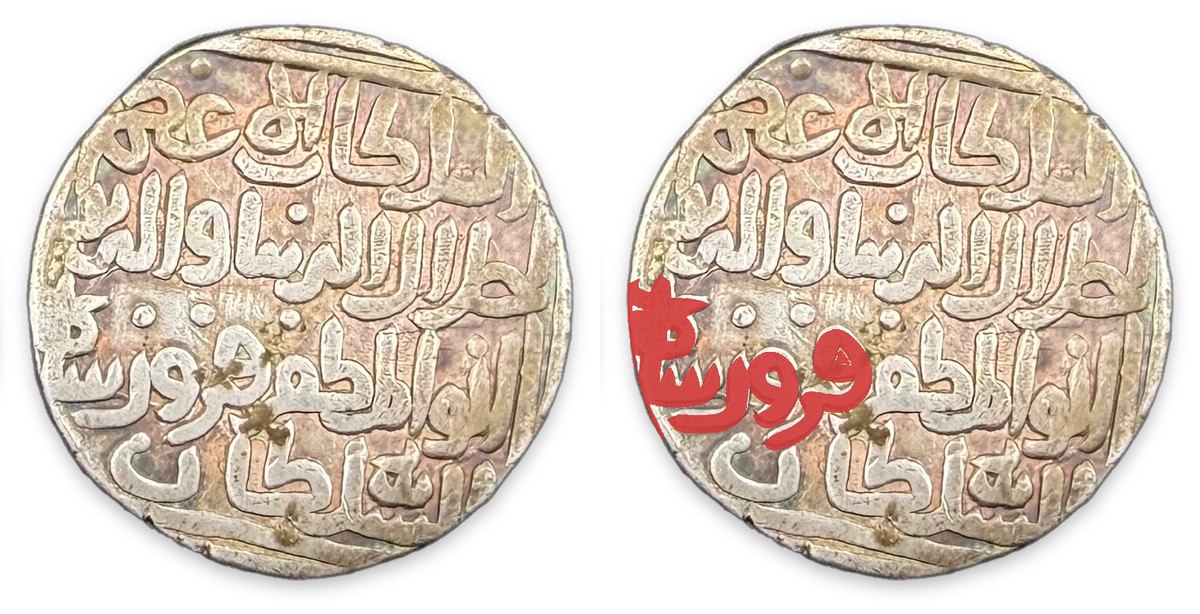
What it does
Layers with handles
Drag a piece to move it, drag the corner handle to resize and the top handle to rotate. Pieces can be flipped, duplicated and deleted. Picture on Picture →
Tint, opacity and blend
Each piece has its own colour tint and opacity, and five blend modes: Normal, Multiply, Screen, Overlay and Difference. Picture on Picture →
Grade the base photo
Brightness, contrast, saturation and soften, plus a black & white base so coloured pieces stand out. Picture on Picture →
Erase and restore
Brush away part of a piece, or brush it back, with undo. Picture on Picture →
Hand-off from the other tools
Legends extracted in the Coin Tracer and cut-outs from Background Removal open here directly. You can also drop files on the page or paste from the clipboard. Coin Tracer →
Save the composite
Saved as PNG at the size of the base photo, or the overlays alone as a transparent PNG. Picture on Picture →
What you can make
One coin photo and two overlay pieces — the traced legend, and one word of it in red — combined in different ways.
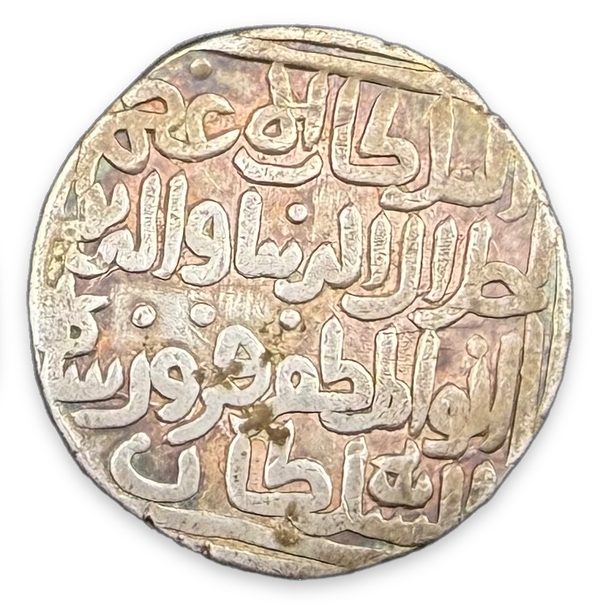
The base everything sits on
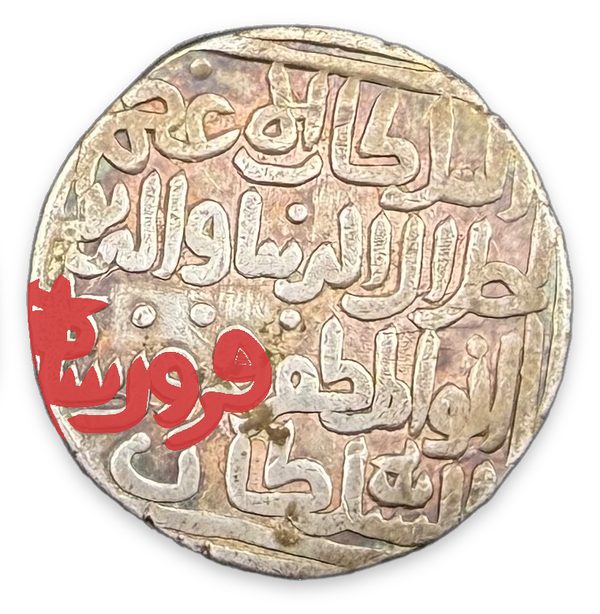
A single piece placed over the photo
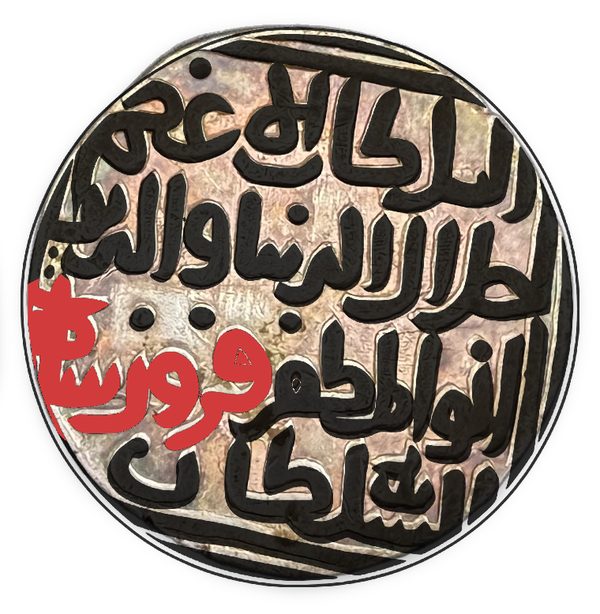
Two pieces, the legend at 80% opacity
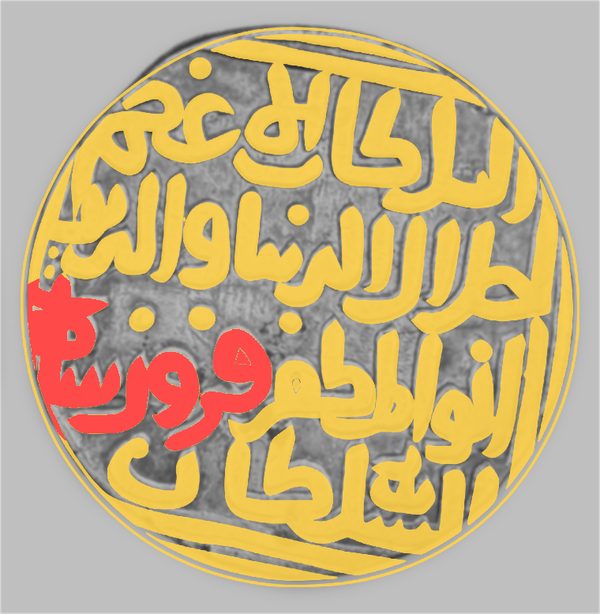
Each piece tinted; base photo greyed, softened and darkened
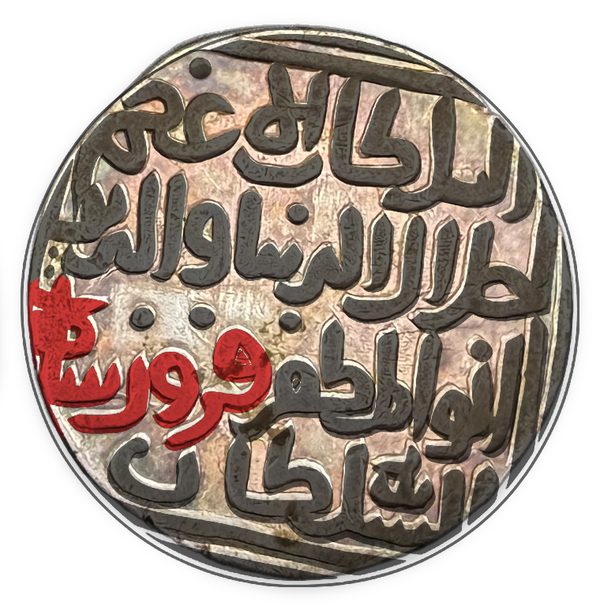
Darkens, so the ink sits into the metal

Saved without the base photo, as a transparent PNG
How to overlay a legend on a coin photo
- Load the coin photo. This is the base everything sits on.
- Add the overlay pieces. Traced legends from the Coin Tracer, symbols, or any PNG.
- Place each piece. Move, resize and rotate it with the handles until it sits on the coin.
- Tint and blend. Give each piece a colour, opacity and blend mode; grey or soften the base photo if the pieces need to stand out.
- Save. Save the composite, or the overlays alone as a transparent PNG.
Limits and price
| Price | Free, with no account. |
|---|---|
| Input | Any image your browser can open. Transparent PNGs work best as overlay pieces. |
| Output | PNG, at the pixel size of the base photo. |
| Blend modes | Normal, Multiply, Screen, Overlay, Difference. |
| Device | Any modern browser on phone, tablet or desktop; saves to Photos on iPhone and Android. |
| Where it runs | In your browser. The pictures are composed on your device. |
Frequently asked questions
How do I put one picture on top of another?
Load the first picture as the base, add the second as an overlay piece, then move, resize and rotate it. Save the result as one PNG.
Where do the overlay images come from?
From the Coin Tracer’s Extract step, from the Background Removal tool, from the punch-mark symbol library or from any PNG on your device.
Can I highlight one word of a legend in colour?
Yes. Add that word as its own piece and give it a tint; every piece has its own colour, opacity and blend mode.
Can I save the overlay without the coin photo?
Yes. Tick “Overlays only” when saving to get a transparent PNG of the pieces alone.
Is it only for coins?
It is built for coins, but it places any picture over any other picture.
Is it free?
Yes, with no account, in any country.
Related: Picture on Picture · Coin line drawing tool · Coin background removal: every format · Punch-marked coins guide · All coin tools
Realised prices for 450,000+ Indian & world coins from Todywalla, Classical Numismatic Gallery, Bombay Auctions, Virasat, Jain and Stephen Album sales.
Search the full archive free →
Home · Auction Archive · Free Coin Tools · Coin Photo Editor · Coin Background Removal · Coin Line Drawing Tool · Banknote Bundle Photo · Picture on Picture · Guides · Identify a Coin · Coin Value · Coin Grading · Label Maker · News · Coin Agent · Sell Old Coins · Contact · ❤️ Donate · ✨ Ad-free · About · Privacy · Terms · Refunds